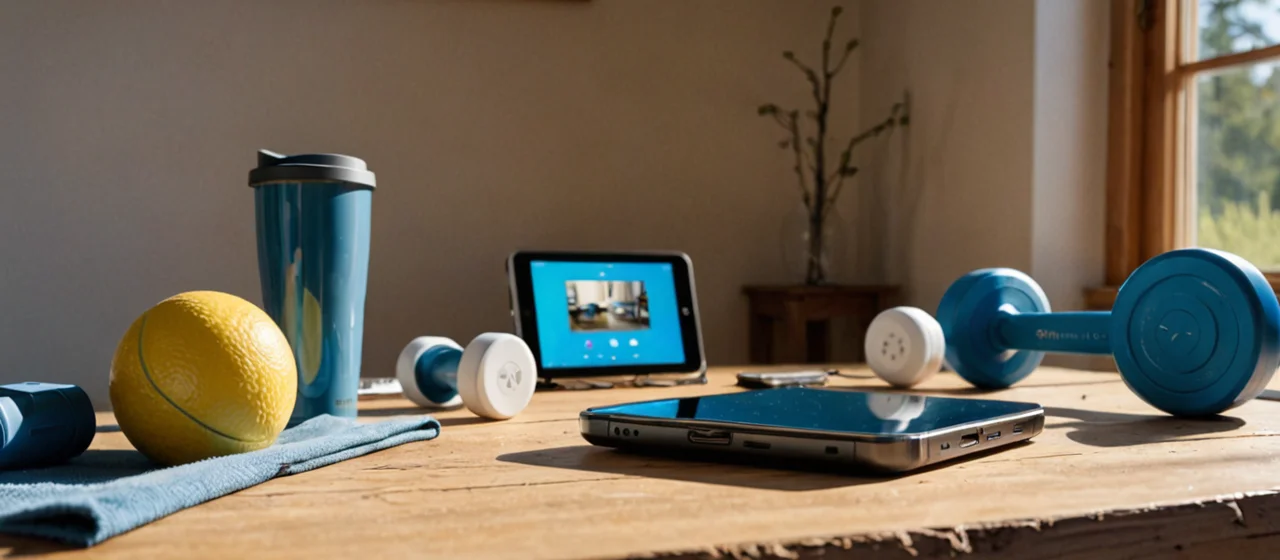
Fitness automation means wiring your training environment—lights, thermostat, fan, the outlets your equipment runs from—into schedules and triggers so the workout happens without you negotiating with your own house. The fitness part is mostly behavioral: you are removing the friction of setup and the excuses that come with it. The automation part is ordinary home automation, and it has hard electrical limits you need to respect before you plug a treadmill into anything smart.
What fitness automation actually controls, and what it can't
A smart plug is a mains-powered adapter that sits between a wall outlet and a device, allowing control of the device's power via a networked interface—typically Wi-Fi—and app or voice assistant. That is the whole mechanism behind most fitness automation. You are not automating your body; you are automating the power state of the things around your body. A fan that turns on at the start of a session, a light that goes red when it's time to lift, a space heater that kills itself after an hour, a dehumidifier in the home gym that runs on a schedule.
What it cannot do is control anything with a soft power button that needs a press, or anything with a digital display that expects a clean shutdown. A treadmill, a rower with a monitor, a smart bike—these are computers with motors. Cutting mains power to them mid-session is how you corrupt firmware and lose workout data. If the machine has a physical rocker switch that stays on, a smart plug can gate it. If it has a capacitive power button, it can't, and you should not try.
The right mental model: automation handles the room, not the equipment. Lighting, climate, ventilation, and the outlet that charges your heart rate strap or powers a dumb fan. Home automation in general refers to networked controllers, sensors and actuators monitoring and controlling household functions—lighting, climate, locks, appliances—through schedules, scenes and remote access. Fitness is just one scene in that system.
Start with lighting and climate, because they're the cheapest wins
Smart lighting is the highest-return automation for a home gym, and it's the one to do first. Smart lighting is a lighting system where bulbs, switches or fixtures are connected and controllable via a network, enabling remote on/off, dimming, color changes and automation such as schedules and occupancy-based control through apps, hubs or voice assistants. A 5 a.m. session in a garage gym is a different room when the lights come up to a warm dim instead of a cold full blast, and a different room again when they shift to daylight as you start your first working set.
The practical build is a smart switch rather than smart bulbs if the fixture has multiple bulbs, because one switch controls the whole circuit and nobody in the household has to relearn anything. Smart bulbs win where you want color temperature shifts during a session or where the switch is inconvenient to replace—rentals, old wiring, no neutral wire in the box. The trade-off is real: smart bulbs need to stay powered, so the wall switch has to stay on, and a guest flipping it off takes the whole automation offline until someone notices.
Climate is the second win. A smart thermostat is an internet-connected temperature controller that can be programmed and adjusted remotely, often learning household schedules and providing energy-use feedback, while integrating with HVAC equipment according to manufacturer wiring and voltage specifications. For a garage or basement gym, the thermostat schedule matters more than any wearable: a room at 55°F in winter kills motivation faster than a bad program. Set the schedule to bring the space up to temperature before the session, not during it, and let it fall back afterward. The limit is that a thermostat controls the HVAC system, not a space heater—those need their own plug and their own safety thinking.
Smart plugs: the electrical ratings are not a suggestion
Every smart plug has a maximum load, and exceeding it is a fire risk, not a warranty question. The Kasa Smart Wi-Fi Plug Slim with Energy Monitoring (KP125M) is rated for a maximum resistive load of 15 A, 1800 W at 100–120 V~, 50/60 Hz. The older Kasa Smart Wi-Fi Plug HS100 is rated 100–120 VAC, 15 A. Outdoor units differ: the Kasa Smart Wi-Fi Outdoor Plug EP40A is rated 125 V~, 60 Hz, maximum load 15 A, 1875 W, 1/2 HP motor, and the KP400 is rated 125 V~, 60 Hz, 15 A max total load, 1/2 HP motor.
Those numbers describe resistive loads—heaters, lamps, kettles—and small motor loads up to the horsepower rating. A fan is fine. A space heater is fine if it's under the wattage and you're not daisy-chaining it. What is not fine: a treadmill, an elliptical with a motorized incline, a window air conditioner on a circuit shared with anything else, or a plug strip feeding several devices at once. Motor startup draws several times running current for a fraction of a second, and a plug rated for 1/2 HP is telling you exactly how much motor it will tolerate.
The other limit is physical. Smart plugs are bulky, and a plug behind a treadmill that you cannot reach is a plug you will never reset. Put them where you can see the indicator light. And check the outlet itself: a 15 A plug on a 15 A circuit shared with a garage door opener is a recipe for a tripped breaker mid-session, which is exactly the kind of friction automation is supposed to remove.
Schedules, triggers and the sequencing that makes a session flow
The automation that changes behavior is a sequence, not a single device. A useful pattern: at a set time, lights come up to a warm dim, the fan turns on, the thermostat begins its recovery, and a spoken announcement confirms the session is starting. Ten minutes later the lights go to full daylight. When the session ends—by schedule, not by sensor, because presence sensors in a gym misfire constantly—lights drop, fan runs another few minutes to clear humidity, and the thermostat returns to its away setpoint.
Two triggers are worth building and the rest are noise. A time-based trigger is reliable and boring, which is what you want at 5 a.m. A manual trigger—a smart button by the door, a voice command, a scene in the app—handles the sessions that don't start on schedule. Everything else, motion sensors and door sensors and geofencing, adds failure modes. Geofencing in particular will fire when you pull into the driveway from the grocery store and light up the gym for nobody.
Where this gets genuinely useful is the edge cases. A humidity sensor in a garage gym that turns on a fan after a session is worth more than any lighting scene, because damp equipment rusts and mats grow things. The cost is a hub or a cloud dependency: most consumer plugs and bulbs talk to a cloud service, and if your internet is down, your 5 a.m. lights may not come on. If that matters, buy devices that support local control and a hub that runs schedules on-device.
Locks, access and the security layer around a home gym
A separate garage gym or a converted outbuilding usually needs a lock decision before it needs any other automation, and smart locks are where fitness automation quietly overlaps with home security. The deadbolt is the right place to spend money; the padlock on a shed is not automatable in any useful way.
The detail that trips people up is the factory reset procedure, because it's the thing you need when the lock misbehaves and the thing nobody reads. For the Kwikset Signature Series and SmartCode deadbolt, the factory reset is: press and hold the Program button for 30 seconds while reinserting the battery pack, until the lock beeps and the LED flashes red. If you have ever stood in a cold garage at 5 a.m. with a lock that won't accept a code, that sequence is the difference between training and driving back to the house.
The honest trade-off: a smart lock on a gym door adds a failure point to the one thing you cannot afford to have fail. Keypads with a physical key override are the pragmatic choice. And if the gym is detached, the lock is only as good as the Wi-Fi reaching it—a lock that can't reach the network still works with a code, but the app, the remote unlock and the audit log all go away.
What it costs, what breaks, and when to skip automation entirely
The realistic budget for a useful setup is a smart switch or two, a plug with energy monitoring, a thermostat you probably already have, and a hub if you want local schedules. That's a modest spend compared with a single piece of gym equipment, and it's the layer that actually changes whether you train on a given morning.
What breaks, in rough order of frequency: Wi-Fi drops and the cloud schedule doesn't fire; someone flips the wall switch that feeds the smart bulbs; a plug gets overloaded and the breaker trips; a firmware update resets a scene; a lock's batteries die without warning because the low-battery alert went to an email nobody reads. None of these are catastrophic, but each one erodes trust, and once you stop trusting the automation you stop relying on it, and it becomes decoration.
Skip automation entirely if you train in a commercial gym, if your home gym is a corner of a room you already occupy, or if you are the kind of person who will not maintain firmware and batteries. The single highest-value automation for most people is a schedule that turns the lights on and the thermostat up before a session, and that is one device and one app. Everything beyond it is optional, and a lot of it is a hobby rather than a fitness tool. Build the sequence that gets you to the first set, verify the electrical ratings on every plug, keep the lock's reset procedure somewhere you can find it, and stop there.
Where the plug goes matters as much as its rating
Put the smart plug on the circuit that feeds the room's comfort load, not the circuit that feeds the equipment. Those are usually separate breakers, and if they aren't, that's your answer: the gym needs a dedicated circuit before it needs a schedule. A plug rated 15 A does not make the branch circuit 15 A of headroom—it means the plug will pass that much current without melting, while the breaker behind it is shared with a garage door opener, a chest freezer, or the outlet your neighbor's leaf blower is on. You find this out the bad way, mid-set, when the lights and the fan die together and you go hunting for a panel in the dark.
Reachability is the second placement rule. Smart plugs are bulky, and the KP125M with energy monitoring is bulkier than a plain adapter because the metering hardware has to fit somewhere. If it ends up behind a rack or under a bench you cannot see the indicator, you will never know whether it's on, offline, or tripped—and you'll stop trusting it. Mount it at bench height, on the wall by the door, somewhere a glance tells you the state. The same logic applies outdoors: the EP40A and KP400 are rated 125 V~, 60 Hz, 15 A max, 1875 W, 1/2 HP motor, but that rating assumes the plug is sheltered and the cord isn't sitting in a puddle. An outdoor-rated plug is not a waterproof one.
Energy monitoring is the underrated feature here, and it's why the KP125M is worth the extra bulk over a plain plug. It tells you what a space heater actually draws versus what the box claims, and it tells you when a device has been left on. A heater on a schedule that reports a load you didn't expect is a heater you unplug until you figure out why.
Sequencing that survives a cold morning
Build the pre-session sequence to start earlier than you think and ramp slower than you want. The failure mode of a 5 a.m. garage session is not darkness—it's a room that's still cold when you're ready to work, because the thermostat was asked to recover the space and the HVAC can only do so much per hour. Start the climate recovery well before the lights come up, let the lights do a warm dim first and full daylight only when you're actually loading the bar, and put the fan on a delay rather than at the start so you're not standing in a wind tunnel while you're still cold. None of this needs a sensor; a schedule with staggered offsets does it.
The end of the session is where people leave value on the table. A fan that runs a few extra minutes after you finish clears humidity that would otherwise sit on mats and steel, and a thermostat that drops back to its away setpoint immediately undoes the warm-up you paid for. Sequence the shutdown the same way you sequenced the start, with the fan trailing the lights and the climate holding until the room is dry. If your plugs only support on/off with no delay, a second schedule entry does the same job.
The honest limit: every offset you add is a thing that can drift after a firmware update or a daylight-saving change, and a sequence with five timed steps is five chances to be wrong. Two steps done reliably beat five done cleverly. Verify the whole sequence once by watching it run, note the times on your phone, and leave it alone.